Related Posts Plugin for WordPress, Blogger...

iTechSpeak :::...

"THE HUMAN SIDE OF TECHNOLOGY" for convenience, productivity, safety, profitability or fun. This is the place to be to keep your finger on the pulse in emerging technologies. When should you zig when everyone else zags? Where should you concentrate your time, money or effort to capitalize on the next technology tsunami? Stay tuned . . . -Published by SAVVY INTRAPRENEUR
Showing posts with label advertise. Show all posts

Simple Facebook Tip to Extend Personal Brand Reach

Posted by Unknown Saturday, May 14, 2011 0 comments

Most email software (i.e. outlook, gmail etc.) has a type-ahead feature. This is also referred to as auto-complete. This function remembers and stores addresses you send to. When you start typing names of a previously stored contacts, your email software will recognize it and offer suggestions for completing the name text for you.

Facebook has a similar type ahead feature, when posting "comments", on a "wall" or in a group.  As you will see in the picture above, using the "@" symbol and typing the first letter of a name triggers Facebook to present a drop down menu.  You can now select friends, business pages you "Like" and calendar events you published on Facebook.  Whatever selection you make from the menu  (i.e. a friend's name) will be converted to a hyper link people can click on and visit that page.  To complete the hyper link conversion, you must press to save a comment or click the "Share" button on a wall post.

By using the "@" symbol with a friend's name you extend your visibility. Your friend is notified on their Facebook news feed that you mentioned them. Your friend's friends also see your comment. 

This is a great way to edify friends, while getting your smiling face in front of new people.  You might even make some new friends.

Carl E. Reid
Social Media Strategist, Intrapreneur Coach, Author, Speaker
  Tel: 201-222-5390  *  Carl E. Reid.com
"Success Synergy through Intrapreneur Savvy, Human Capital and Tech Strategy"
Give Yourself  A Raise Anytime You Want?  "LIKE" Savvy Intrapreneur on Facebook
Be On All Your Social Media Sites with 1 Button Autopilot Publishing  Social Media Solutions by Savvy Intrapreneur
Social Media Team Effort for Getting the Word Out

Posted by Unknown Friday, March 4, 2011 0 comments

Some suggested steps to create buzz for acquiring new clients.  Similar to everyone in an organization having business cards, this tandem effort by all team members will produce a synergy in results.

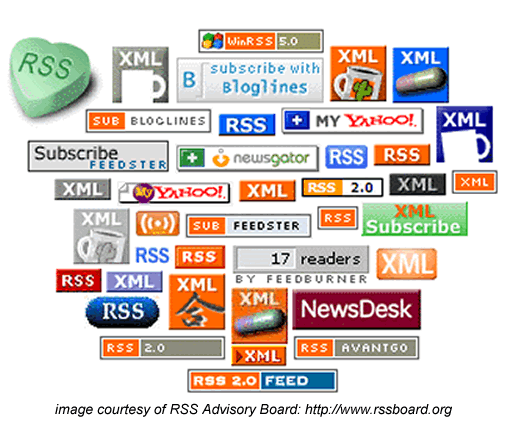
1. Make sure the company blog is RSS enabled. That means the little orange chicklet should be visible on the blog. This allows people to channel in/out using their RSS readers. RSS stands for Really Simple Syndication. 
Having a blog with no RSS feed is like having a telephone with no dial tone. You can't communicate with the rest of the world. - Click here for RSS article details

Ask your web developer to flip the switch "On" for displaying the RSS chicklet on the blog.  Once this is completed, it sets the stage for "1 button publishing".  Publish a blog article. The article will automatically distribute to Twitter, Facbook and LinkedIn accounts for ALL
team members.

2. In preparation for
"1 button publishing", everyone on the team should have accounts on Twitter, Facebook and LinkedIn.  You can hook your Twitter account into your Facebook and LinkedIn accounts.

3. Consider setting up a business page on Facebook.  Here's an article for details: New Facebook Changes Provides Best of Both Worlds -

Press Enter Once: Publish to All Social Media Platforms

Posted by Unknown Wednesday, March 2, 2011 0 comments

Branding and marketing is the name of the game these days for both companies and individuals. Twitter, Facebook, blogs etc. are phenomenal tools for getting the word out about you or your company.   

Most social media tools are free.   Although you can do it yourself, engaging a social media consulting company allows you to work ON your business, not IN your business 

Have you heard about "one button" publishingWrite something once. Then it automatically goes viral globally to your Twitter, Facebook, LinkedIn, other social media accounts and Google (as in SEO search engine optimization).  Engaging a knowledgeable social media consultant eliminates a very steep learning curve for using those free tools.

View our social media client portfolio - Tel: 201-222-5390

New Facebook Changes Provides Best of Both Worlds

Posted by Unknown Thursday, February 24, 2011 0 comments

Just a heads up on new Facebook changes being implemented on March 1, 2011.  These changes will allow for maintaining a personal social life (your personal page) and having a professional game face (LinkedIn type) posture.

Personal page changes
You may have already noticed profile settings now being displayed at the top of your personal page. It is recommended you spend time adjusting your security settings in displaying personal information. Decide how much personal information your friends vs. the general public should see.

Business page changes
The majority of the new Facebook changes will impact business pages Here is where you might consider emulating your LinkedIn profile inside Facebook. This allows for maintaining a business posture. The really cool part is you will be able change between a personal page identity to a business identity at any time.  You still use the same login ID credentials to access both pages.

For example, Jane Doe has a personal page and she has a business page called JANE DOE, INC. [or use your company name].  Now Jane can "comment", "Like" and interact with friends and family on Facebook as Jane Doe
Then Jane can change her identity when she visits other businesses or business associates on Facebook.  When Jane switches her identity to XYZ Widgets Company,  all her "comments", "Likes" etc. will be signed and displayed as "XYZ Widgets Company" [JANE DOE, INC.] on all Facebook posts.

I am offering a complimentary 16 minute coaching session, if you have questions on your CEO of ME, Inc. branding strategy on Facebook. Tel: 201-222-5390