


Did you know Twitter engagement rates are higher on Saturday and Sunday? Below is an excellent infographic provided by Linchpin SEO, which provides the clues needed to crack the mystery of how to really engage people on Twitter.
As I mention to my clients, having a social media presence is not enough. Converting social media presence into "influence" is the challenge. Social media Influence is what really translates into sales leads or referrals for sales conversions.
People do business with people they know, like and trust. The hard question is how do we get Social media to emulate this basic human interaction. Engaging conversations with people, which makes those people share your value with others.
The question I suggest my clients ask themselves [as they look at each social media platform] is "Are we selling something or sharing something of value?" Sharing value is what people tune in to and VALUE is what people share.
The Linchpin SEO does an excellent job of teaching how, when and why engaging people builds personal and business brands.
Twitter Cheat Sheet , an infographic by Linchpin Infographic Design


This is a great way to edify friends, while getting your smiling face in front of new people. You might even make some new friends.
Be On All Your Social Media Sites with 1 Button Autopilot Publishing Social Media Solutions by Savvy Intrapreneur

Once 25 people "Like" your business page, Facebook opens the window so you can create a branded link.
Watch out!! Monitor your business page "Likes". Facebook closes the opportunity to create a much shorter branded link, once your page has 100 "Likes". Now you will be stuck with that ridiculously long link, which will take up every inch of space on your business card.
About the Author
---------------------
Carl E. Reid is a technology expert, social media strategist and business career coach at Savvy Intrapreneur. CReid3005[AT]gmail.com - Tel: 201-222-5390
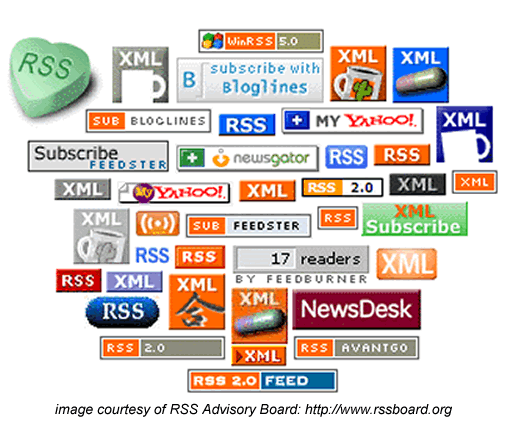
1. Make sure the company blog is RSS enabled. That means the little orange chicklet should be visible on the blog. This allows people to channel in/out using their RSS readers. RSS stands for Really Simple Syndication. Having a blog with no RSS feed is like having a telephone with no dial tone. You can't communicate with the rest of the world. - Click here for RSS article details
Ask your web developer to flip the switch "On" for displaying the RSS chicklet on the blog. Once this is completed, it sets the stage for "1 button publishing". Publish a blog article. The article will automatically distribute to Twitter, Facbook and LinkedIn accounts for ALL team members.
2. In preparation for "1 button publishing", everyone on the team should have accounts on Twitter, Facebook and LinkedIn. You can hook your Twitter account into your Facebook and LinkedIn accounts.
3. Consider setting up a business page on Facebook. Here's an article for details: New Facebook Changes Provides Best of Both Worlds -

Most social media tools are free. Although you can do it yourself, engaging a social media consulting company allows you to work ON your business, not IN your business.
Have you heard about "one button" publishing? Write something once. Then it automatically goes viral globally to your Twitter, Facebook, LinkedIn, other social media accounts and Google (as in SEO search engine optimization). Engaging a knowledgeable social media consultant eliminates a very steep learning curve for using those free tools.
View our social media client portfolio - Tel: 201-222-5390

Personal page changes
You may have already noticed profile settings now being displayed at the top of your personal page. It is recommended you spend time adjusting your security settings in displaying personal information. Decide how much personal information your friends vs. the general public should see.
Business page changes
The majority of the new Facebook changes will impact business pages. Here is where you might consider emulating your LinkedIn profile inside Facebook. This allows for maintaining a business posture. The really cool part is you will be able change between a personal page identity to a business identity at any time. You still use the same login ID credentials to access both pages.
For example, Jane Doe has a personal page and she has a business page called JANE DOE, INC. [or use your company name]. Now Jane can "comment", "Like" and interact with friends and family on Facebook as Jane Doe. Then Jane can change her identity when she visits other businesses or business associates on Facebook. When Jane switches her identity to XYZ Widgets Company, all her "comments", "Likes" etc. will be signed and displayed as "XYZ Widgets Company" [JANE DOE, INC.] on all Facebook posts.
I am offering a complimentary 16 minute coaching session, if you have questions on your CEO of ME, Inc. branding strategy on Facebook. Tel: 201-222-5390

If we work on understanding what motivates people, responses to emails may be faster. So lets take a quick trip down the opposite lane on what encourages people to not be in a hurry to open and actually read emails received.
Establishing these bad habits is a sure fire way to make people ignore or miss emails you send them.
- Not having a compelling statement in the "Subject" that makes someone want to open your email. Hi, hello and hey says nothing to the reader and may even trigger spam filtering, causing your email never to be read. Forbes writer, Kern Lewis's article How To Write A Compelling E-Mail Subject Line covers how to create a sense of urgency. Also check out 5 Tips for Writing Subject Lines that Will Get Your Emails Opened from Constant Contact.
- Not changing the "Subject" line when the email topic changes. People can easily think they already read your email, because it has the same topic as a previous email you sent or they sent. Now your new topic gets deleted, without being read. Bye bye to that totally awesome idea you had.
- Using email to initiate a series of back and forth conversation volleys, when a single phone call is more expeditious.
- Introducing new topics in the email "Body", which are unrelated to the topic in the "Subject".
- Using email as a word processor for lengthy sharing of information. Keep emails short and to the point.
- Bad timing on business email sends. Since business people constantly receive email, Saturday or Sunday may not be the best time to send emails. By Monday, your email could be pushed so far down and out of sight by the 50-100 emails delivered after your email. Just because you send an email during the weekend does not mean other people read emails during the weekend. Everyone has different work habits. Send email when you know there is a good chance a person is in their office AND cleared out their "Inbox".
- Not paying attention to geographic time zones. Consider your reader's local time zone, when timing an email send. Your email sent at 9AM might be 9PM to your email reader. Better to write an email in draft mode. Then send the email during your reader's local business hours
- Sending email to people in different cultural work environments. Again, consider timing email sends mentioned above. In many Spanish speaking countries, work stops at 2PM and resumes at 4PM. In Europe, weekends are definitely considered mini holidays. Relaxing and spending time with family is a priority on weekends, especially in France.
- Disregarding country holidays. Keep a world holiday calendar handy. Time email sends accordingly, to increase the chances of your email being opened and read.

Why is marketing and branding both on-line and off-line important to your business or career? Here are some reasons why you need to be where your target audience hangs out.
20% of employers use "social networking" sites. Read more . . .
2008 - Career Builder Report via article in Personal Branding Blog
One-in-Five Employers (25%) Use Social Networking Sites to Research Job Candidates. Read more . . .
2009 - MarketWatch.com via article on Pre-Employ.com
40% of employers have searched Facebook and other social networking sites for information on potential hires. Read more . . .
2010 - 2nd to LinkedIn, Recruiters are hanging out on Twitter.
Some corporate recruitment firms use Twitter to analyze the employee’s communication skills and his work culture. According to few surveys among recruiters who use Twitter as a part of their recruitment process. Read more . . .
Online Marketing and Branding
- Answer questions on www.LinkedIn.com
- Develop a positive web presence with upbeat questions and comments on LinkedIn and other social networks.
- Blog, Blog, Blog - Setup a free account on www.Blogger.com
- Acquire a vanity domain name - www.GoDaddy.com
- Make yourself an industry expert with articles within your knowledge space that resolve problems, improve processes or share outcome results of previous projects etc.
Offline Marketing and Branding
- Personal networking produces the best results by tuning in to each persons' WIIFM
- Remote networking using telephone and contact management database
- Use voice mail as a marketing tool
- Maintain business posture through email with proper grammar, spelling and an email signature.

If you don't have an email address for a person or they don't check email that often, you can still send email to their cell phone (comes to each person as a text message on their phone). Many people in the "mature crowd" have a cell phone, but don't use email at all. Now you can reach out to them more often via email.
Keep in mind people have a limited amount of characters they can receive in each text message. So keep email messages short to about 200 characters. That's enough to send a brief reminder about upcoming events, meetings or emergency alerts to multiple cell phones as part of email sends.
As long as you know the person's cell phone provider, you can use the formats below, employing your regular email system.
T-Mobile: phonenumber@tmomail.net
Virgin Mobile: phonenumber@vmobl.com
Cingular: phonenumber@cingularme.com
Sprint: phonenumber@messaging.sprintpcs.com
Nextel: phonenumber@messaging.nextel.com
Alltel: phonenumber@message.alltel.com
AT&T: phonenumber@mms.att.net
SunCom: phonenumber@tms.suncom.com
VoiceStream: phonenumber@voicestream.net
Verizon: phonenumber@vtext.com (text only)
phonenumber@vzwpix.com (pictures and videos)
You can tell quite a bit about a person from their email address. Email address name and case lettering may provide clues as to the type of person you will engage. If you think hiring managers, executives, recruiters and business professionals don't pay attention to email addresses, think again. Are you willing to take that risk with the competition in the job market being so fierce?
Your email address should answer the question "Am I committed to presenting a positive professional appearance, while marketing myself and my company?"
Sybil.Krill@anydomain.com is serious about her career or business. She provides an email address that presents a professional posture. A balanced amount of confidence is displayed in capitalizing the 1st letter of each part of her name. She is branding herself, because her email address reflects the same name she uses in her every day life, on her resume, business cards etc..
danny.krantos@anydomain.com almost achieves the same goal as Sybil.Krill@anydomain.com above. He may lack confidence, because the 1st letter in his first and last name is lower case.
bubbalicious@anydomain.com wants to be anonymous, whiling complaining about people not recognizing them or not responding back to their emails. Maybe they are also wondering why they are not getting calls for interviews or business meetings to present their services. This person is definitely not serious about their career or business posture. Cryptic email addresses beg for a response of "I'll get back to you, maybe".
MICHELLE.ARILLY@anydomain.com may love herself a little too much. Having confidence is one thing, but let's not go overboard. Following Internet and instant message rules, all UPPER CASE lettering is perceived as shouting. Is this person going to be high maintenance in the "attention" department?
Gary.Friptal@MyCompanyDomain.com provides the same professional posture as Sybil.Krill@anydomain.com, whiling adding that extra branding touch. Their name is branded and so is their company. Like a commercial, both are tied together. When people see the company name they think of that person. When people see the person's name there is an instant association with that company.
Amy@MyCompanyDomain.com is professional but is it memorable? If you are the only Amy in your company, that might work for a while. What happens, if you leave the company? Amy.G.Winstrom@MyCompanyDomainName.com works better. If you change companies, your personal name brand recognition still goes with you.
A single name works best, if you purchase a "vanity" domain that contains your first and last name (i.e.Amy@AmyWinstrom.com). Now you're cooking with branding gas.This can follow you no matter where your business travels take you.
If you're short on time, you can view a quick video on this topic.
Many people use Google Alerts as a automated tool for acquiring news stories and doing research on various topics. You can even use Google Alerts to search for job or business opportunities. Place 2 to 3 words within "quotes" for each alert. Then you automatically receive an email with results found anywhere on the Internet. You can use Google Alerts to track how your company fares in the public eye or keep up with friends, family and associates. Just create an alert with their name in quotes.
Former New York City Mayor Koch endeared himself to people with his famous line "How am I doing?". That's a question you can and should answer about yourself, using Google Alerts. What do hiring managers, human resource professionals, recruiters or business associates see when they type your name into Google or any search engine?
By creating different Google Alerts with different variations of your name spelling, you receive feedback on what type of information people are viewing about you. This also provides intelligence on whether you should make adjustments to profiles you may have on Myspace, Facebook, Twitter, LinkedIn, or articles mentioning you or your company name etc.. Oh did you think that information about you was private? Think again.
Your web presence should reflect the name you use on your resume or bio. Google Alert intelligence is also valuable, if you have a similar name to someone else. Talk about a case of mistaken identity, if that person has a less than acceptable Internet web presence. Consider making your name more unique by adding a middle initial, generation qualifier or certification distinction (i.e. Al Q. Brown - Jim Smith, III - C. E. Reid, CSI).
Related article: "5 Quick Ways to Grow your Internet Web Presence"
Find Out What Others Are Saying About Your Business
Affiliate Marketing Can Provide a Secondary or Even Primary Source of Income
by Bruce Newman
Affiliate marketing is usually defined as the reward for each customer brought to a target website; in short, an Internet-based marketing method of driving traffic to a particular site. To clarify this further, let’s say I’m an affiliate for a website that sells pet products. For each customer who I bring to that website, I will receive some reward – usually money. (This may also require that they purchase at least one item.)
Is it worth my while?
The answer is both yes and no. It depends on the terms of the affiliate agreement and the amount of effort you are willing to expend. If it was so easy for these companies to just bring in business, they wouldn’t need an affiliate program. However, every company knows that generating new business is hard; it’s expensive, time consuming, exhausting and a slow process. They have calculated that it helps to have an unpaid (or minimally paid) sales force providing them with leads (and customers). The question for you to determine is, “Are the rewards worth my effort?”.
What is required from me?
Sometimes being an affiliate can initially be very easy and profitable. If you have a network of friends with a need for the affiliate product or service that you represent – such as pet supplies, you can easily make a few dollars. But what happens then? What is required for you to continue to provide new customers? And, how will you do it? These are questions you must be able to answer before becoming an affiliate of any program.
How much money can I make?
You can make a lot of money as an affiliate, particularly if you are an affiliate member for several websites and have an effective operating strategy. Having a solid networking tree is also quite helpful. Unfortunately, few affiliates fall into this category. Some affiliates enjoy a solid secondary income stream. However, most affiliates make little to no money, usually because of a lack of effort or difficulties with the company they are an affiliate for. We will discuss this further in another article.
Why become an affiliate?
Being an affiliate can supply you with a secondary source of income. Even if you are employed in a job, an affiliate income can make a significant difference in your total income. Possibly, as you continue to refine your strategies and affiliate agreements, it can even become a primary source of income. In any case, it requires work on your part. Just remember, money won’t come rolling in once you sign up as an affiliate without your effort.
Next week, we will discuss how to select an affiliate program(s) from the many programs currently available.
Bruce Newman is a long-term ETP Network member and Vice President at The Productivity Institute, LLC which matches the specific software products and services needs of companies to rated outstanding consultants who can meet those needs. It has an extensive and well-supported affiliate program that offers up to $225 for each company that registered by an affiliate which signs a contract with one of its referred consultants. Additional product and service information is available at: http://www.prodinst.com
Video Affiliate Marketing Part 1


.png)

